
Advantages and Disadvantages of Creating a WordPress Site
WordPress site building is an essential tool in the digital age for businesses, entrepreneurs and entrepreneurs to have a strong online presence.
What is WordPress? Why Is It So Popular?
WordPress is a free and open source content management system (CMS) that has been developed since 2003.
Although it initially emerged as a blogging platform, today;from personal blogs to corporate websites,From portfolio sites to e-commerce storesIt is used in a very wide area.
The main reasons why WordPress is popular are:
Ease of use:No advanced technical knowledge is required to manage the site.
Suitable for every need:It is suitable for any project, from small personal blogs to large corporate websites.
Richness of themes and plugins:You can easily change the site appearance and functionality.
SEO compatibility:Thanks to built-in tools and plugins, it is possible to increase search engine rankings.
Strong community support:There is a large user community where you can get help if you have a problem.
 Making a WordPress SiteAdvantages
 Making a WordPress Site
1. User-Friendly Interface
WordPress is a system that everyone can easily use.
Thanks to the user-friendly control panel, you can add content, upload images and manage menus without writing code.
Therefore, it is an ideal platform for both beginners and professionals.
2. SEO Friendly Structure
WordPress offers a strong foundation for SEO.
Thanks to plugins such as Yoast SEO or All in One SEO Pack, you can make your content suitable for search engines, increase rankings and gain organic traffic.
3. Mobile Compatibility
As the use of mobile devices in accessing the Internet increases, having a mobile-compatible site has become a necessity.
Most WordPress themes responsiveis; In other words, your site appears smoothly on phones and tablets.
4. Security and Regular Updates
Since WordPress is one of the most popular CMS platforms, security is of great importance.
wordfenceAndsucuriYou can protect your site against threats with security plugins such as and increase security with regular updates.
5. Flexible Design Options
You can choose the design that best reflects your brand among thousands of free and paid themes.
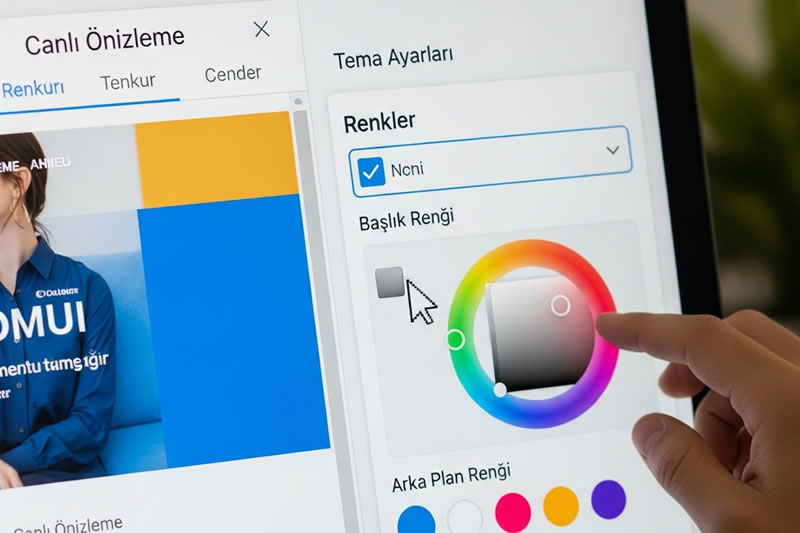
You can easily customize colors, layouts, fonts, and your logo.
6. Blog and E-Commerce Features
Do you want to sell online?
WordPress andWooCommerceYou can set up a fully equipped online store with the plugin.
Additionally, thanks to powerful blog features, you can share content, interact with your audience and grow your brand.
7. Easy Installation and Affordable
It is much faster and more economical to set up a WordPress site than a custom software site.
You can launch your site in a short time with ready-made themes and plugins.
How Much Does It Cost to Set Up a WordPress Site in 2025
WordPress site cost varies depending on your needs and whether you're building the site yourself.
A general cost table is as follows:
1.Do It Yourself (DIY)
Domain name: Annual10–20 USD
Shared hosting: Annual30–100 USD
Themes and plugins: Many are free; premium ones40–100 USDis around.
Installation and design: Free if you do it yourself; however, there may be additional costs for training or resources.
a simple WordPress-seo-content-test/” rel=”noopener”>should-prefer-wordpress-websites/” rel=”noopener”>WordPress siteabout 50–250 USDYou can set it up on a budget.
The cost may increase if you add premium themes, plugins or additional features.
2.If You Work With a Freelancer or Agency
Personal/blog site:300–800 USD
Small business or corporate site:800–2,000 USD
WooCommerce e-commerce site:1,500–5,000 USD
Additional features (custom design, multi-language, integrations):300–2,000 USD
These prices are the average market values of 2025 and may vary depending on the experience of the agency or freelancer and the complexity of the project.
Things to Consider When Creating a WordPress Site
Reliable Hosting:Choose quality hosting so that your site loads quickly and runs uninterrupted.
SEO Compatible Theme:Use a fast-loading, mobile-friendly and search engine-optimized theme.
Quality Plugins:Choose plug-ins from reliable sources that are kept up to date.
Security:Use an SSL certificate, make regular backups and keep your software up to date.
Regular Backup:Protect your data with automatic backup plans.
WordPress is a great option for anyone looking to create a fast, affordable and professional online presence.
Regardless of blog, corporate site, e-commerce store or portfolio,Rich theme and plugin library,SEO compatibilityAndease of usethanks to WordPress-site-yonetimi/” rel=”noopener”>wordpress.org/” target=”_blank” rel=”noopener nofollow”>wordpress-site-yonetimi/” rel=”noopener”>you-should-prefer-wordpress-websites/” rel=”noopener”>WordPress is one of the most effective ways to create a strong digital presence in 2025.
If you want to step into the digital world,Getting started with WordPress would be a great first step.
Frequently Asked Questions (FAQ) About WordPress
1. Do I need coding knowledge to create a WordPress site?
No, WordPress is designed for beginners.
However, if you want to make more advanced customizations, you can get support from an expert.
2. Is WordPress good for SEO?
Yes, WordPress is SEO friendly and has many plugins that make your site search engine friendly.
3. Can I make a WordPress site myself?
Definitely.
Many people successfully create their own WordPress site with tutorials and community support.
Establishing a site with WordPress is important for both individual users and
Creating a Site with WordPress, nowadays
Creating a site with WordPress, taking part in the digital world
Creating a site with WordPress, taking part in the digital world
Creating a Site with WordPress is more important than personal blogs nowadays.
Creating a site with WordPress, taking part in the digital world
Creating a site with WordPress, stepping into the internet world
One of the most popular and flexible methods to take your place in the internet world is to set up a WordPress site. This process offers wide opportunities and ease of use.
Creating a WordPress site is your own environment in today's digital world.
WordPress site building is one of the most common and accessible solutions today for a wide range of people who want to create a digital presence, from individuals to corporate companies. Thanks to its user-friendly interface and rich plugin support, it allows even those who do not have technical knowledge to set up a professional website.
Creating a WordPress site in today's digital world
WordPress site building** is the most popular site for those who want to take part in the digital world today.
WordPress is one of the most popular content management systems, powering millions of websites around the world. On this platform, **WordPress website creation** can meet many needs, from personal blogs to corporate websites, with its wide range of theme and plugin options.
What is WordPress and Why Should It Be Preferred?
For businesses, entrepreneurs and individuals looking to establish a strong presence in the digital world, WordPress is one of the most popular and accessible solutions. WordPress, which started as a simple blogging platform in 2003, has become a flexible, open-source content management system (CMS) that powers millions of websites today. The process of setting up a WordPress site is quite easy even for those without technical knowledge, which makes it attractive to a wide audience.
WordPress Fundamentals and Evolution
WordPress is a free and open source platform built on the PHP programming language and MySQL database. Although it was initially designed for bloggers, thanks to the theme and plugin ecosystem developed over time, it has become able to meet all kinds of needs, from personal blogs to corporate websites, from e-commerce stores to portfolio sites. This evolution has made WordPress an indispensable tool in the digital world.
Why is WordPress So Popular?
The reason why WordPress is so popular is its ease of use, flexibility and broad community support. It offers the opportunity to create and manage websites through visual interfaces without the need for advanced coding knowledge. Additionally, thousands of free and paid themes and plugin options allow you to integrate any design and functionality into your site. These features make the WordPress site building experience very accessible.
Who is it suitable for?
WordPress appeals to a wide range of users. It is a suitable solution for everyone, from small businesses to large corporate companies, from personal bloggers to freelancers, from e-commerce entrepreneurs to artists. It is especially ideal for those who want to get online quickly and budget-friendly. WordPress site building offers a strong starting point for anyone who wants to take their place in the digital world.
Advantages of Creating a Site with WordPress
WordPress has many valid reasons why it is preferred by millions of websites around the world. The advantages offered by this platform offer significant conveniences and opportunities for both non-technical users and experienced developers. The decision to set up a WordPress site is usually made with these advantages in mind.
Ease of Use and Flexibility
One of the biggest advantages of WordPress is its user-friendly interface. Thanks to drag-and-drop page builders and an intuitive admin panel, it's possible to create a professional-looking website even without coding knowledge. In addition, its flexible structure that can adapt to all kinds of projects, from personal blogs to complex e-commerce sites, allows users to shape their sites according to their needs.
Vast Theme and Plugin Ecosystem
WordPress is home to thousands of free and paid themes and plugins. While themes determine the visual design of your site, plugins allow you to add various features, from contact forms to SEO optimization, from security features to e-commerce functions. This vast ecosystem offers nearly unlimited customization and functionality throughout the WordPress site building process.
SEO Friendly Structure and Community Support
WordPress is naturally suited for search engine optimization (SEO), and this ability can be further enhanced with powerful plugins such as Yoast SEO. In this way, it becomes easier for your site to rank higher in search engines. Additionally, the huge worldwide WordPress community offers quick solutions to problems and ongoing support. This strong community makes the WordPress site building experience safer.
Potential Disadvantages of Using WordPress
Although WordPress has many advantages, like any platform it also has some potential disadvantages. Knowing these disadvantages will help you make a more informed choice when deciding to build a WordPress site. Especially issues such as security, performance and maintenance are important points to pay attention to.
Safety and Maintenance Needs
WordPress's open source nature and popularity can make it an attractive target for cyber attacks. Therefore, it is imperative to perform regular security updates, use strong passwords, and install reliable security plugins. Additionally, routine maintenance such as keeping themes and plugins updated and taking backups is critical for the smooth operation of your site. These responsibilities continue after installing the WordPress site.
Performance and Optimization Challenges
Using lots of plugins or heavy themes can negatively impact the loading speed of your WordPress site. A slow site reduces user experience and negatively impacts SEO performance. Therefore, additional efforts such as caching plugins, visual optimization, and a quality hosting service may be required to increase site speed. Performance optimization is an important part of the WordPress site building process.
Plugin Conflicts and Compatibility Issues
The plugin ecosystem, one of WordPress's greatest strengths, can also lead to potential problems. Incompatibilities may occur between different plugins or themes, which may disrupt the functionality of your site or cause errors. Resolving such conflicts can sometimes require technical knowledge and time. This is a common problem that may be encountered after setting up a WordPress site.
What are the Costs of Establishing a WordPress Site?
While WordPress itself is free, getting and maintaining a website online comes with certain costs. These costs can vary greatly depending on your site's scope, features, and expectations. Understanding the costs of building a WordPress site is important to plan your budget correctly.
Basic Cost Items: Hosting and Domain Name
The most basic costs for a WordPress site are hosting and domain name. Domain name is the address of your site on the internet (for example: yoursitename.com) and is paid annually. Hosting is the service where your site's files are stored and accessible from the internet and is offered with monthly or annual subscriptions. These two items are essential to the WordPress site building process and are often the lowest-cost starting points.
Theme and Plugin Expenses
Although WordPress has thousands of free themes and plugins, paid (premium) themes and plugins may be needed for more professional designs or special functionality. Premium themes usually come with a one-time payment or annual subscription, while some plugins may also require an annual license fee. These expenses are investments to improve the aesthetics and functionality of your site and affect the WordPress site building budget.
Maintenance, Support and Additional Development Costs
Costs may continue after you set up a WordPress site. It may be necessary to allocate additional budget for regular maintenance (updates, backups, security checks), technical support and possible troubleshooting services. Additionally, if you want to grow your site over time or add new features, costs may also arise for professional developer services or custom plugin development. This shows that building a WordPress site is a long-term investment.